What Final Swarm Is and Why It Hooks Players
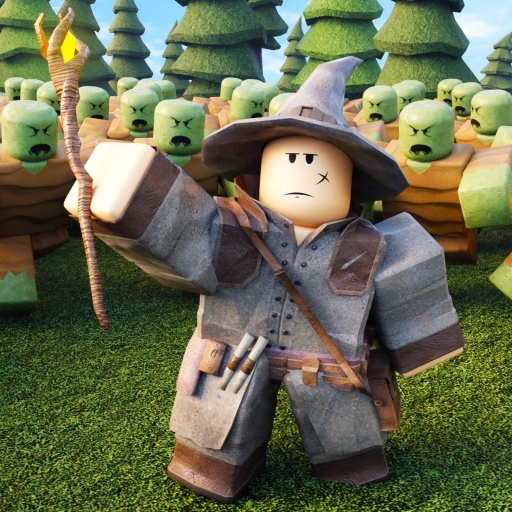
Final Swarm is a wave survival RPG on Roblox developed by Evolution Studio Games. If you have played Brotato or similar horde survivors, the core loop will feel familiar: you control a character in an arena, enemies spawn in timed waves, and every kill or survived interval pushes your build stronger through Keys and Chests. What distinguishes Final Swarm is its Roblox accessibility, distinct enemy factions — zombies, ninjas, and goblins — and world-based progression culminating in the current Jungle update shown as [Jungle 🌴] in the title.
Runs are meant to be repeated. Early deaths are normal and actually teach spawn timing, pickup routing, and when to spend Keys versus saving. The beginner mindset is not to win every wave on day one but to extract one lesson per run until survival time climbs naturally.
Your First Ten Minutes
After launching from Roblox, load into Final Swarm and take a moment to read the bottom navigation bar. The Shop button is critical because it holds code redemption — redeem skillz, freevoid, supdoggy, and firstswarm before your first serious run if you have not already. Those free rewards dramatically smooth the opening hours.
Start a run in the default or starting world unless you are joining friends elsewhere. Move constantly. Standing still is the fastest way to die because zombie packs, ninja rushes, and goblin swarms converge from multiple angles. Pick up Keys and Chest drops as you path around the arena perimeter, using wide circles rather than tight zigzags until you learn spawn points.
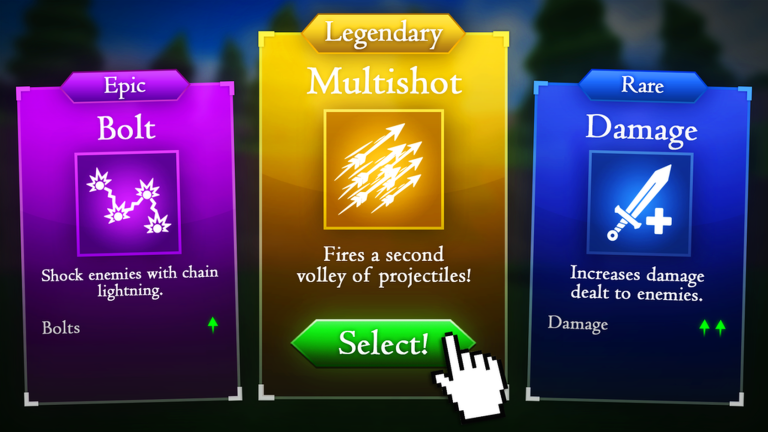
When the first Chest appears in your inventory, open it between waves if the UI allows a safe pause, or immediately after the wave counter ticks if you feel underpowered. Early Chests grant flat stat boosts that matter more than weapon novelty in the first few sessions.
Understanding Keys and Weapons
Keys are the permanent unlock currency for weapons. During a run you also pick up Keys as drops, but the Keys from codes and milestone rewards feed the meta shop where you permanently expand your arsenal. Spend Keys on one reliable primary weapon before unlocking flavor options. Our weapons page and beginner tier list identify safe first purchases.
Weapons behave differently against enemy types. Zombies are slow bulk that punish poor pathing, ninjas close distance quickly and reward knockback or area control, and goblins often arrive in numbers that demand cleave or pierce. Switching weapons mid-run is possible once unlocked, but beginners should master one option first.
Enemy Basics: Zombies, Ninjas, and Goblins
Zombies are the tutorial faction. They telegraph movement and create teachable moments for kiting — leading a pack into a loop while you damage them from range. Use zombies to practice never crossing your own trail into a corner.
Ninjas appear as waves climb. They punish players who tunnel vision on zombies. Listen for spawn cues and prioritize ninjas when they enter melee range because their burst damage spikes faster than zombie chip damage.
Goblins stress area coverage. When goblin waves spawn, reduce greedy pickup paths and fight near the arena center with escape routes open. Area-of-effect upgrades from Chests shine here, which is why saving code Chests until you understand spawn rhythm pays off.
Common Beginner Mistakes
Chasing every drop across the map spreads enemies thin then traps you between groups. Collect in loops that stay near the outer edge rather than darting through the center repeatedly.
Unlocking too many weapons spreads Keys thin. Focus one or two unlocks, then invest Chest openings into stats that amplify those weapons.
Ignoring codes and quests leaves free power on the table. Codes take under a minute to redeem; quests guide you toward repeatable Key income documented on our quests page.
Rushing Jungle before surviving starting-world waves wastes time. Finish the starting world guide milestones first unless you are playing co-op with experienced friends.
Next Steps After Your First Hour
Once you survive past wave fifteen consistently, read how to get Keys and how to survive waves for optimization layers. Review the controls page if platform-specific inputs feel awkward — mobile and PC require different thumb and mouse habits.
Join discord.gg/tEm4hG3RG7 for group runs and patch alerts. Final Swarm is community-driven early in its lifecycle, and coordinating with others makes world progression faster and more enjoyable.